Routes are designated site points that need to be visited within a scheduled time in specific or any order with an optional multiple user function
Advance
If your company has assigned a route schedule for you, this module will become available once you have clocked onsite.
Depending on your industry or type of route your company has set, your selected route will be available, these can be various types from either the Security or Facility services modules.
Dropdown lists are an option for specific route specifications.
All pre scheduled rounds for your route are available to view, if a schedule is set, starting times are listed, when its time to start your round that round will be activated, simply click Start.
Round times all all taken into account - start times, total round times as well as time between points.
Routes are a convenient way to ensure that you physically visit a specific site area and complete a designated path.You can scan either a QR code, barcode or NFC tag at a designated point set by your company.
Once scanned you may be asked to do a basic task, answer a questionnaire or just continue to your next point.
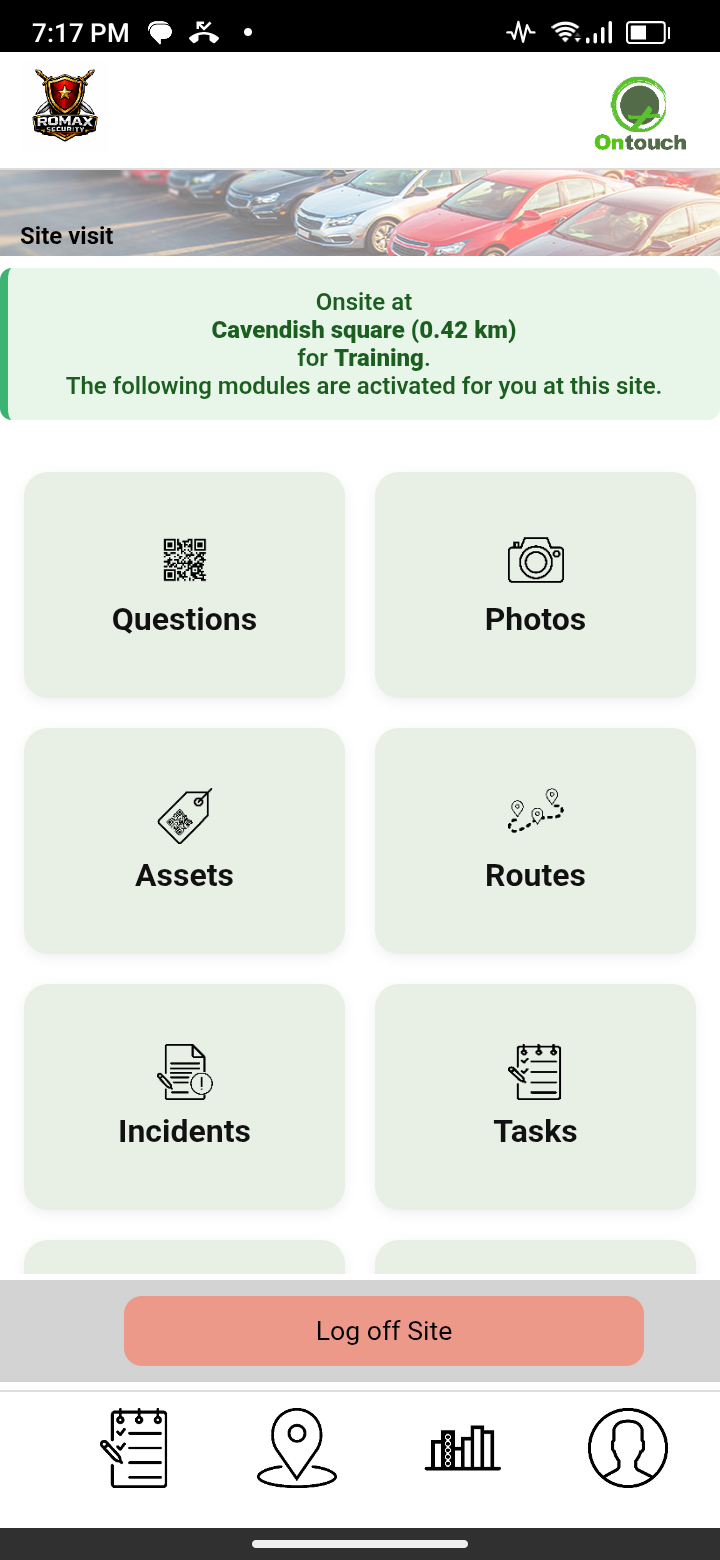
Routes available after site log on
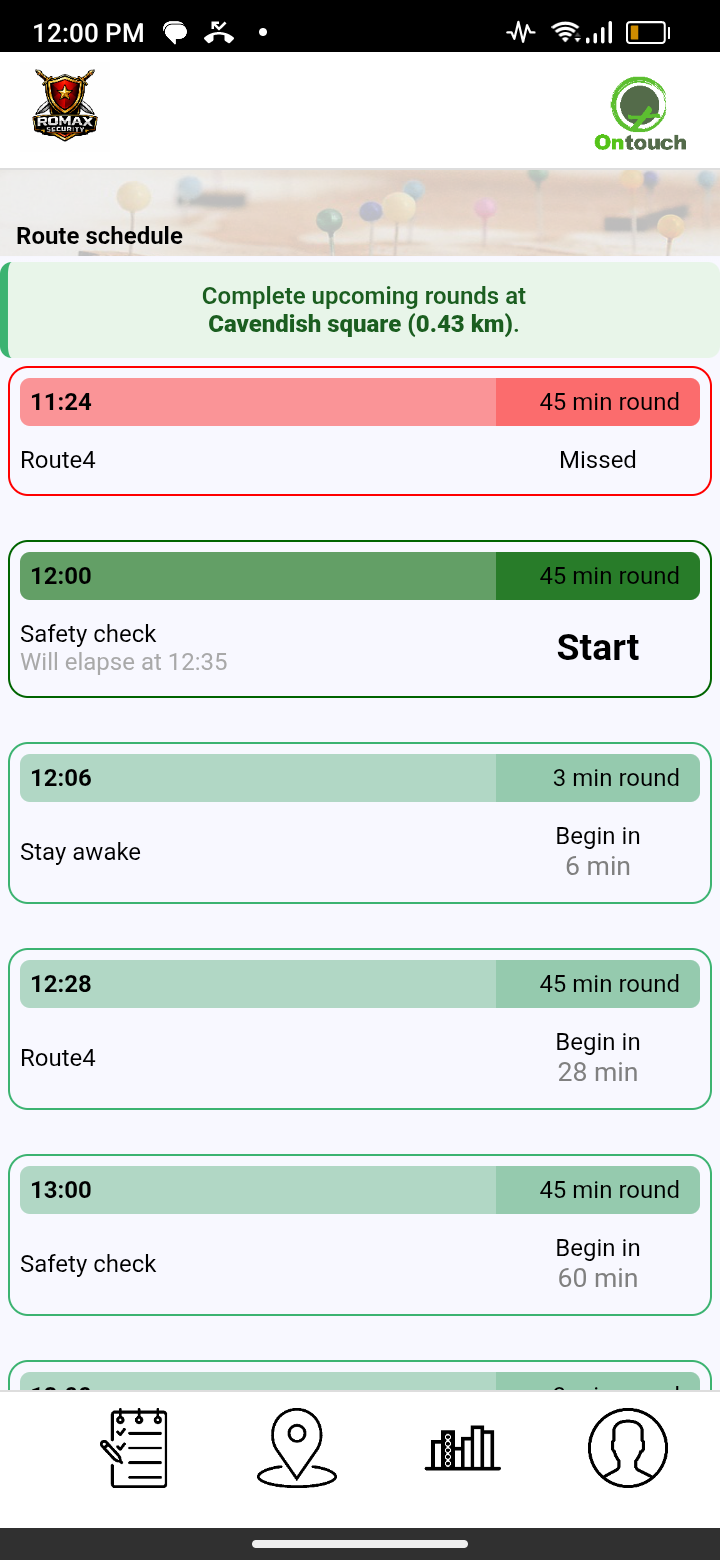
View upcomming rounds
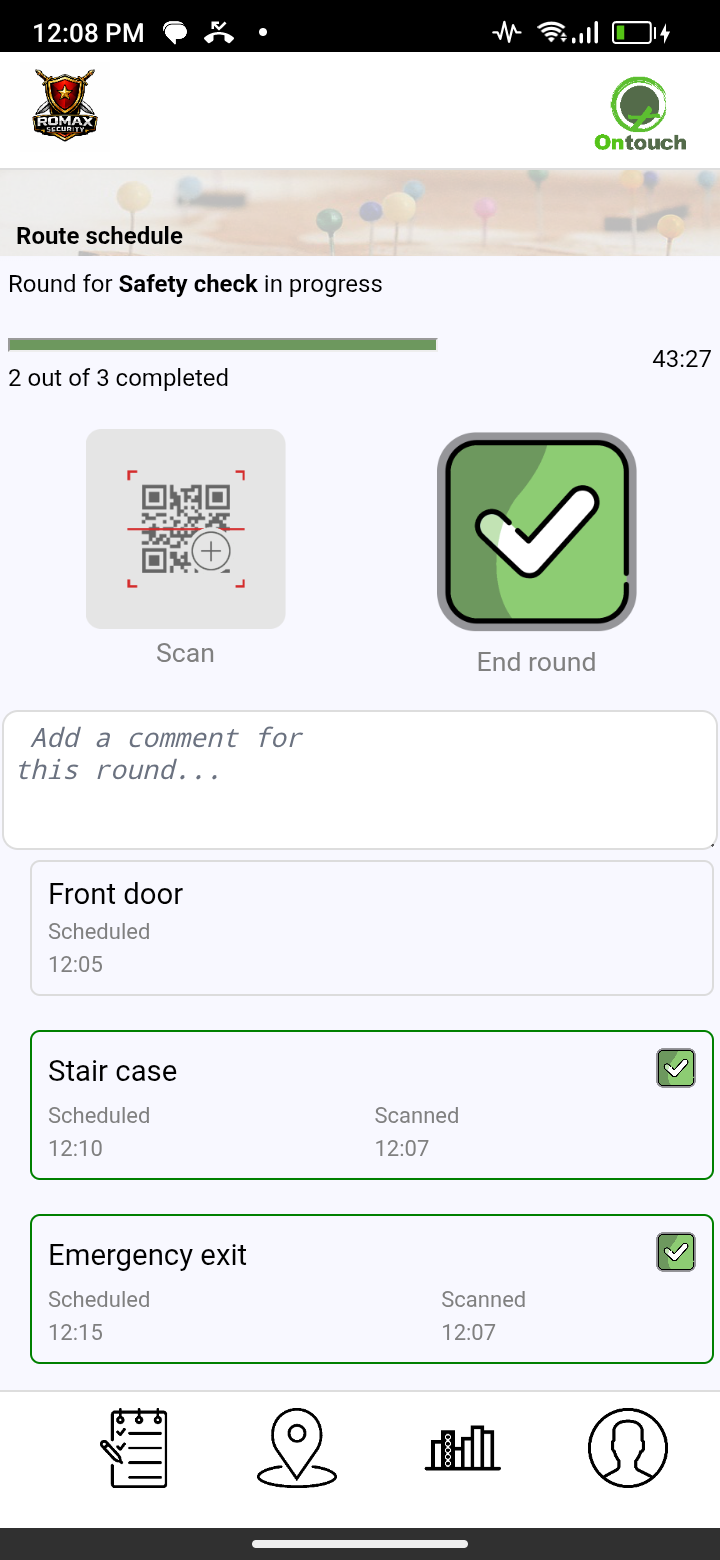
Complete scheduled round
❮
❯
You can set up multiple routes at a time and determine the access levels of employees who can complete them.
This allows for greater control over who is responsible for completing scheduled routes, while also ensuring that they are carried out efficiently and effectively.
Live reporting of current and completed patrols can be monitored as well all historical data.
You can now view and analyse all route information with times, duration, any concerns, specific site area activities etc.
Route management on our website
Live reporting of all current routes can be monitored.
Detailed reports of all rounds within routes and summeries are available. You can monitor total times of rounds, completed, missed or partially completed. View alerts of too fast or slow between points.
Employees feel more in control with access to all work expected from them with their calendar schedule and reports on their work activities.
Everything is recorded and both employee and employer feel at ease, organised and productive.
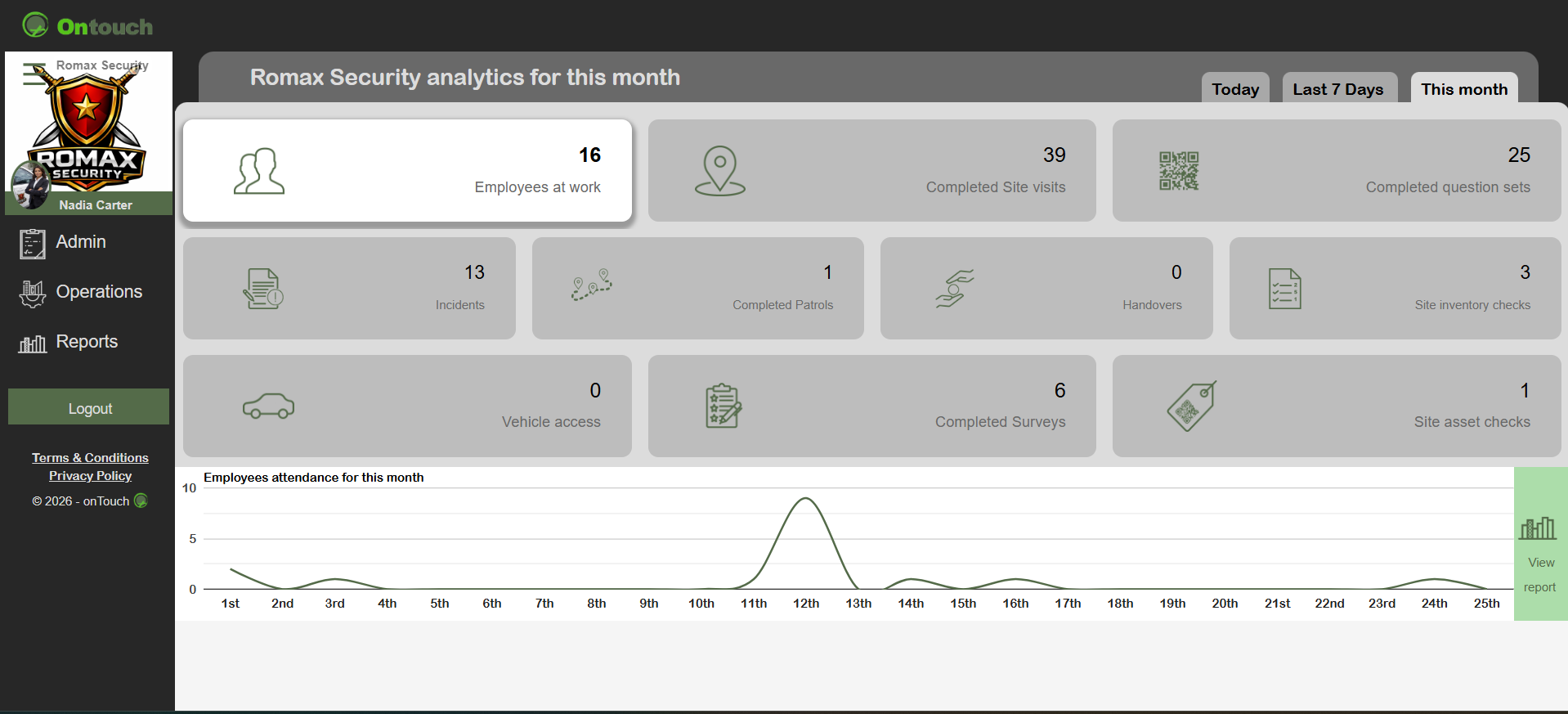
Live updates on all activities
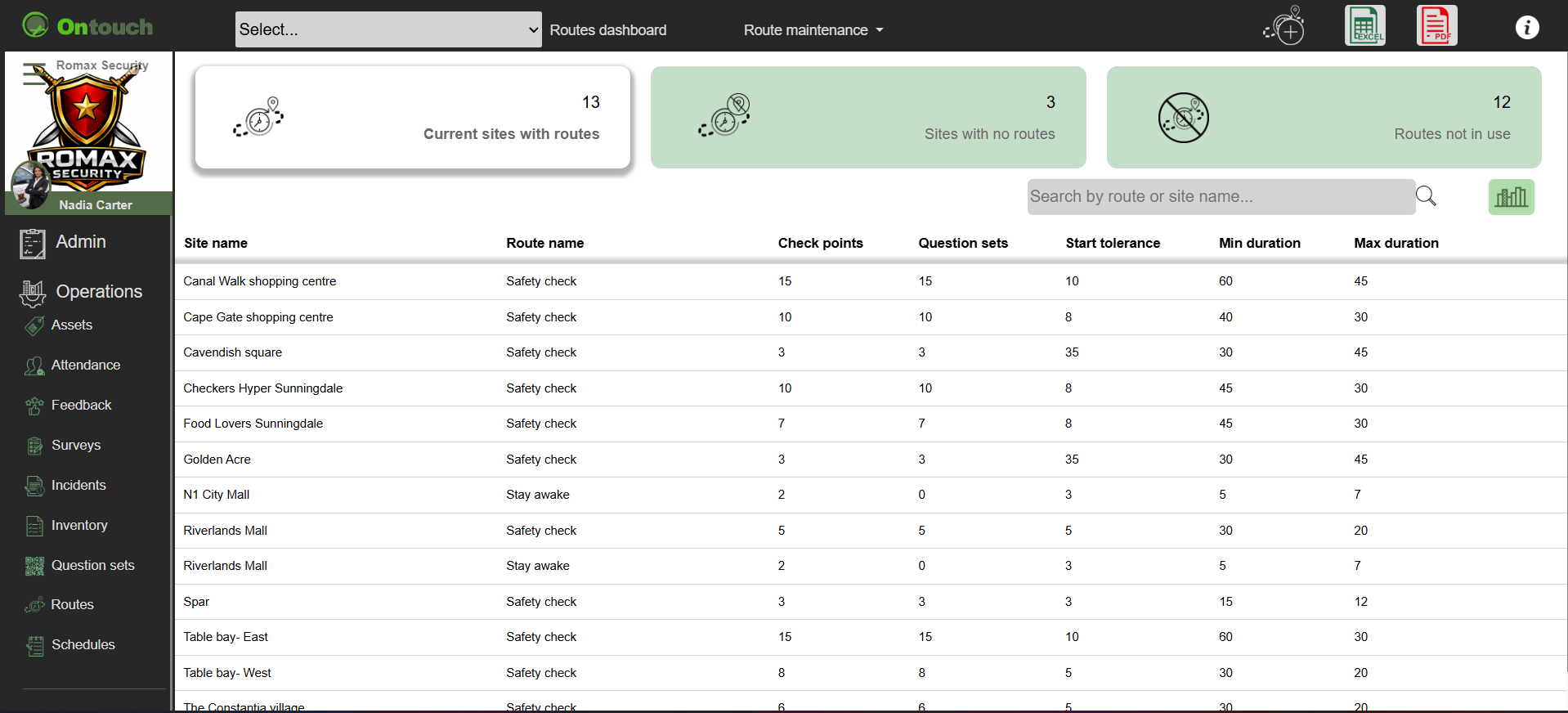
Route operations control
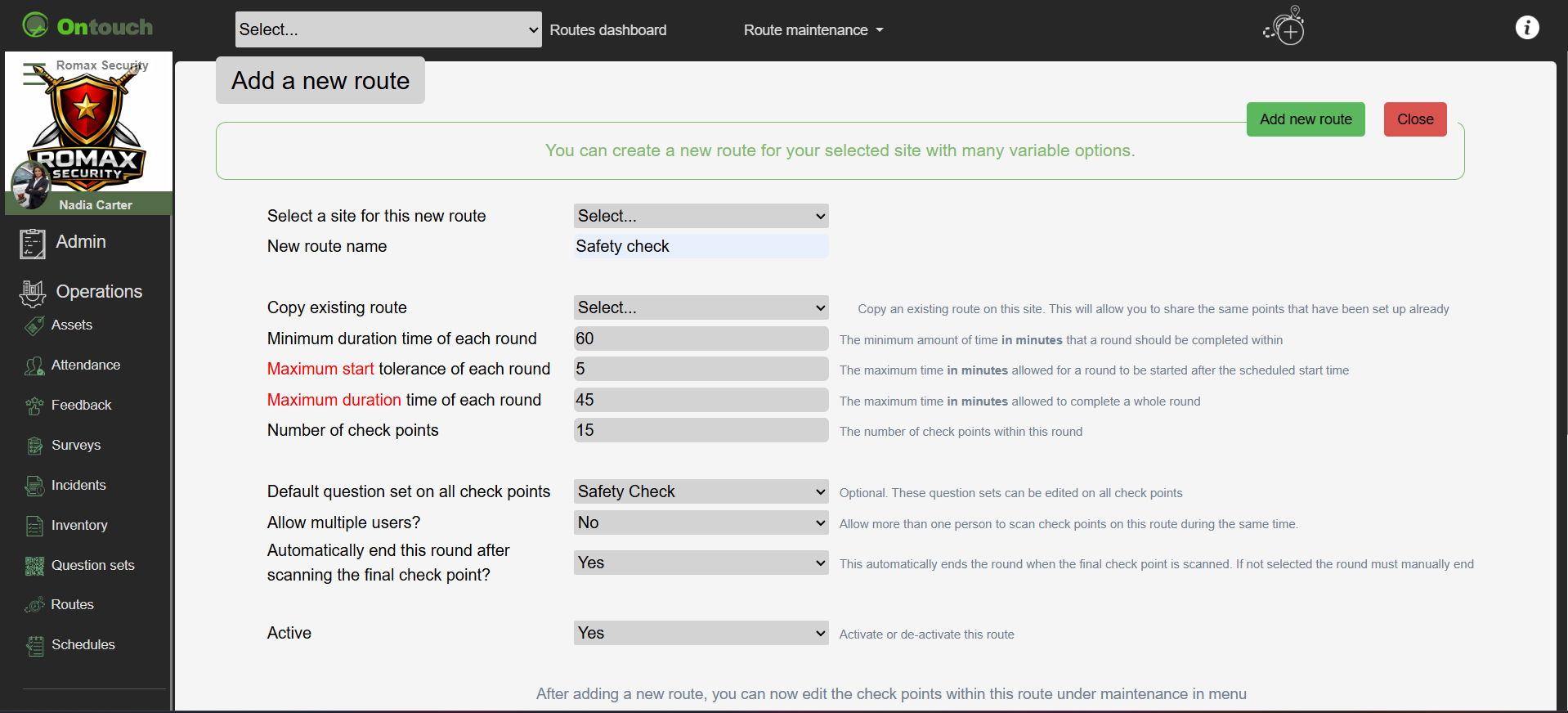
Create and schedule routes

Reports of all route activities

View detailed reports
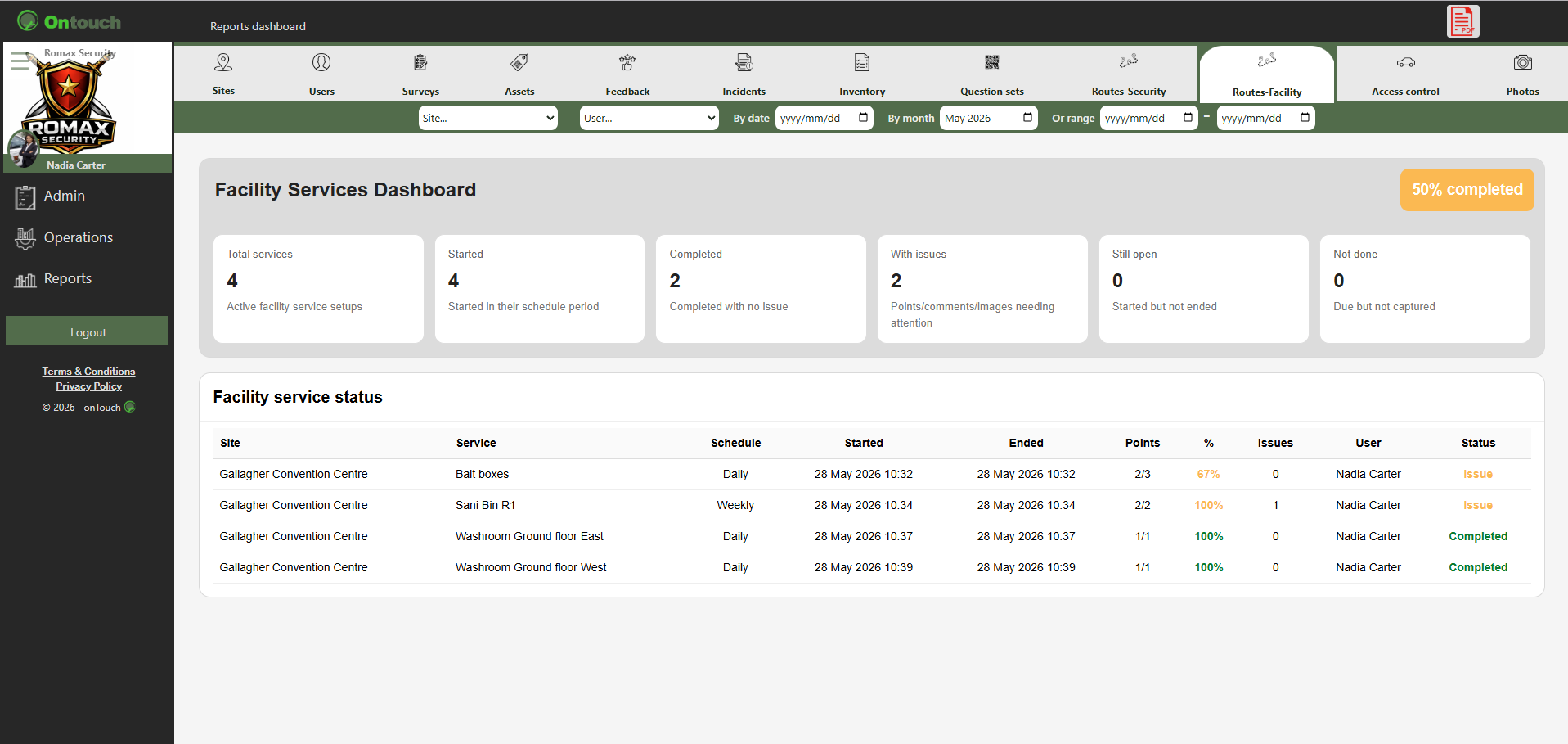
Facility services reports
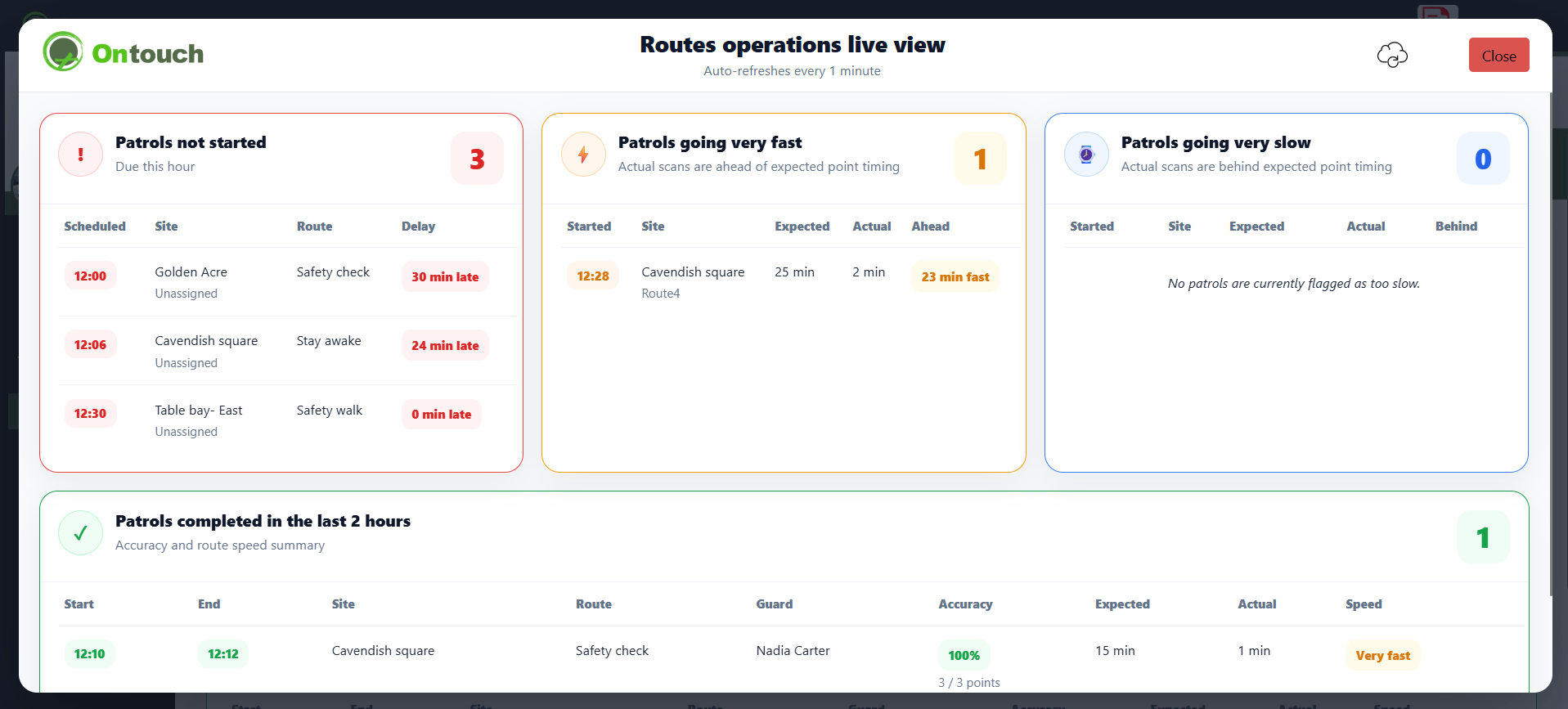
Ops room live view
❮
❯
* QR code,NFC tag or barcode activation * Designated points * Questionaire options * Time specific options * Multiple user options * View completed work
Images are for demonstration purposes only.
©