Employees and companies can view and add scheduled events such as site visits, question sets, tasks, reminders and day events
 Your scheduled events, tasks, job cards and site visits.
You can view and create your scheduled activities, most of these activities are loaded by your company, ensuring that you are both aware of what activities need to be completed for that day.
You can view up to a year in advance. All these scheduled events will be transferred on your dashboard for that current day.
You can add notes to a day at any stage to be used as reminders or general journaling.
You can add items to your personal Check list and tick them as you complete.
Notes and Check list are personal items and, therefore not shared with the company.
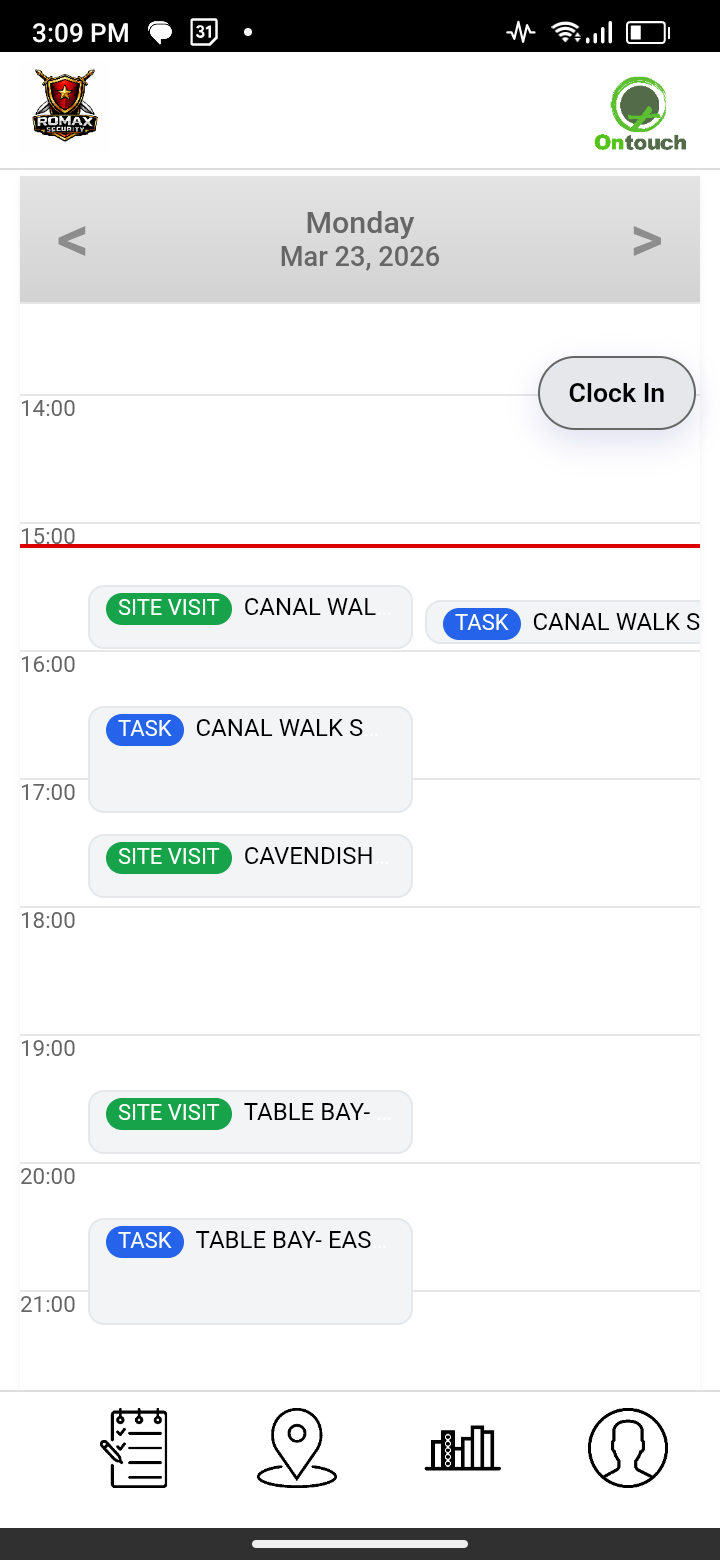
Dashboard with today's schedule

Add notes and checklists

Various detailed reports of all scheduled events
❮
❯
Only future events will be displayed, if you would like to see activities completed in the past, your reports page can offer that.
Types of events that can be loaded by your company are:
Scheduled site visits - If a site needs to be visited on a repetitive schedule. Once onsite, if any question sets are required they will be avaliable to complete.
Job cards/Tasks - Any job that needs to be completed, a simple instruction with an optional attached photo.
Events - Any events that are happening on that day with details.
You have the option to add events that you would like to achieve on your own, also serving as personal reminders of work to be completed.
Companies can control and monitor all events via the website.
You can schedule events, activities or tasks for individual employees, level employees or all employees at certain sites
These will instantly be added to their schedules.
An option to view all that is scheduled for a day is avaliable, with various search options.
Live completed activities are avaliable to search.
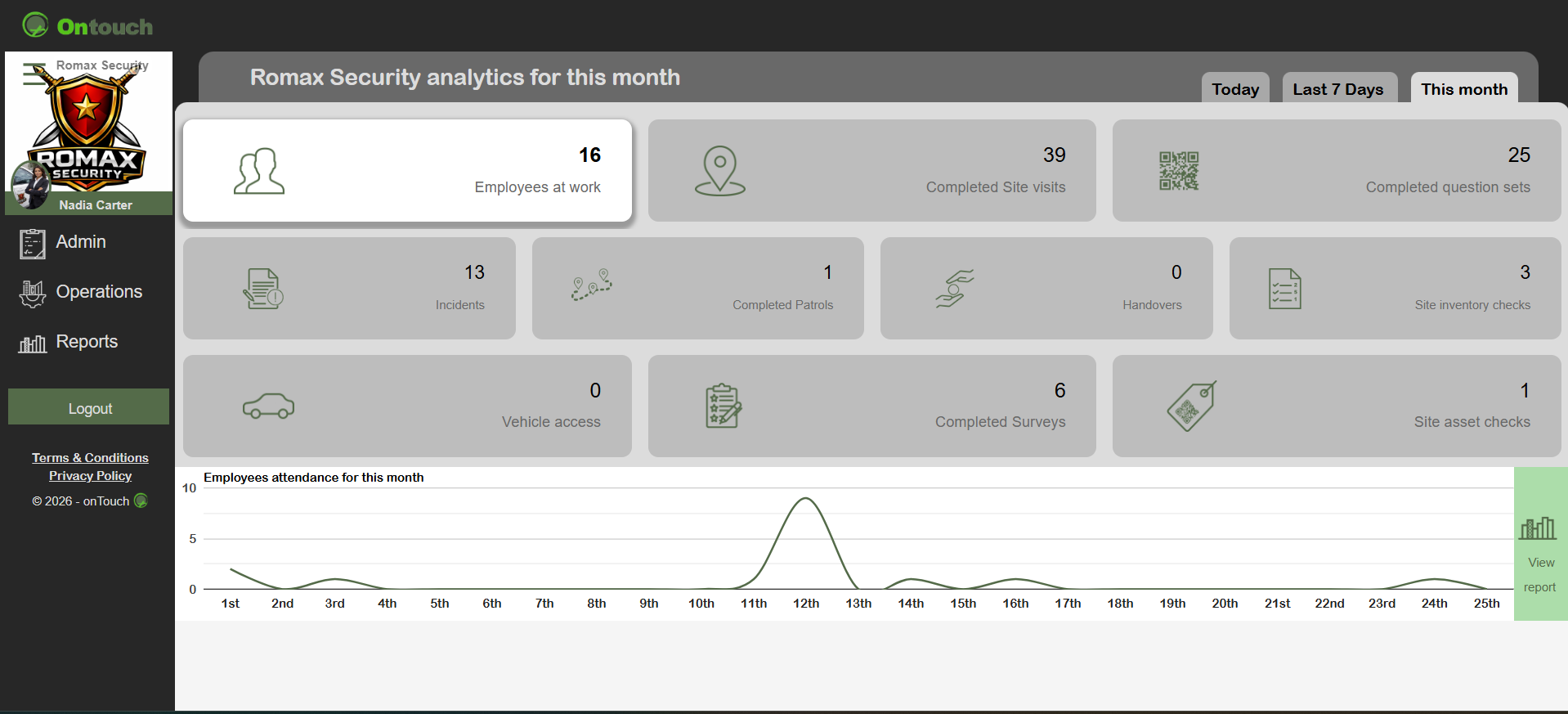
Live updates on all activities
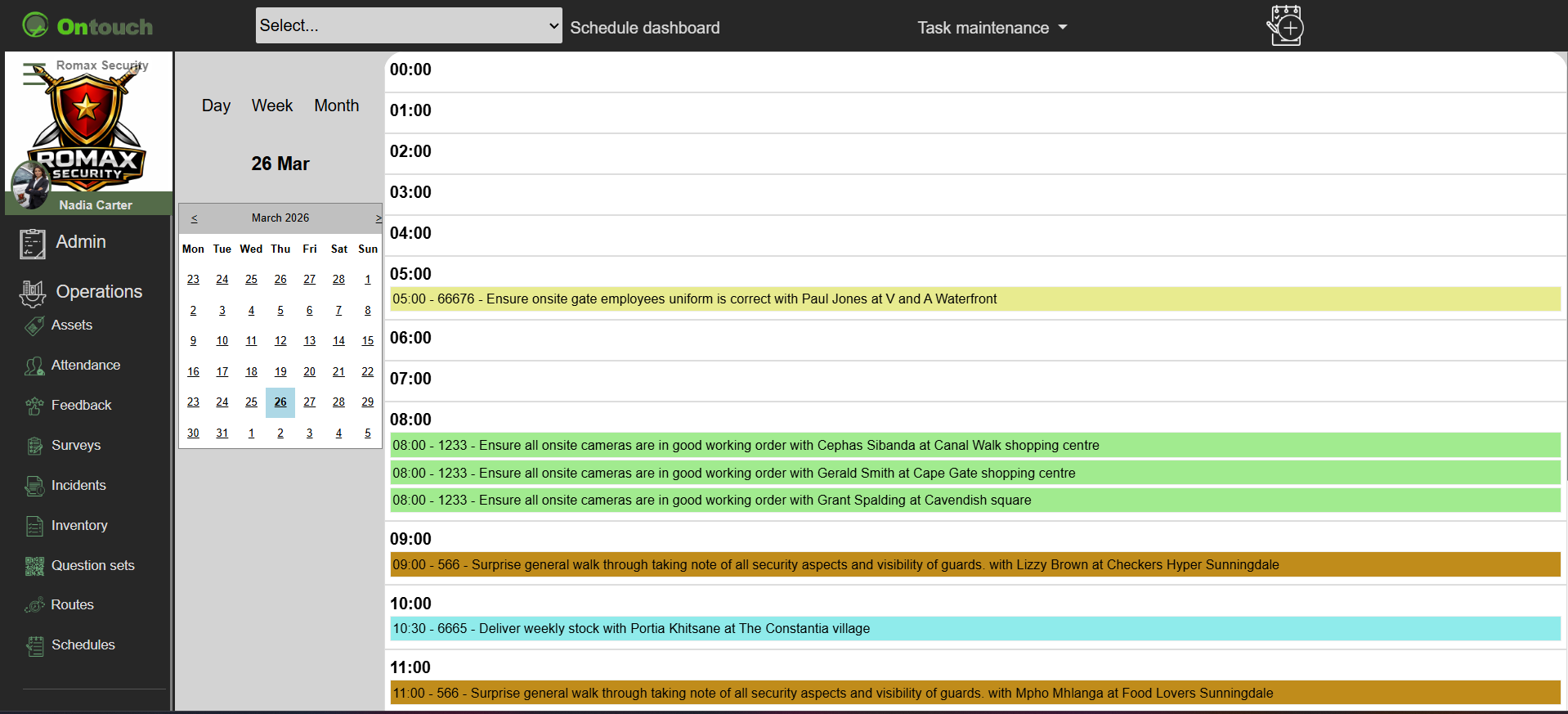
Schedule operations control
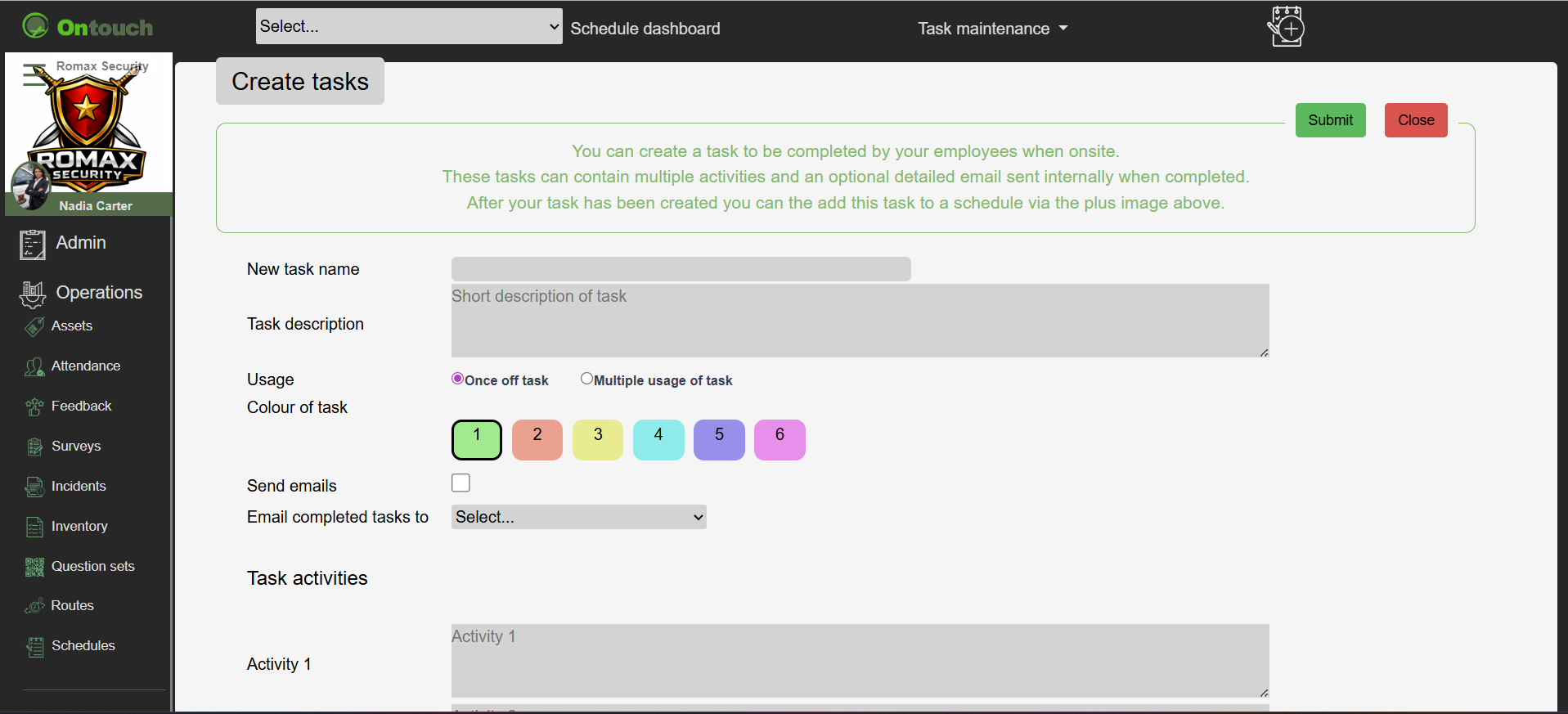
Create and schedule events

Reports of all task activities
❮
❯
* View year in advance * Repetitive events * Site visits * Job cards * Events * Tasks * Day reminders
Images are for demonstration purposes only.
©